5 Tips for a Perfect LinkedIn Profile Photo in 2026
For a professional LinkedIn photo, use a recent, high-resolution headshot where your face fills about 60% of the frame. Choose a simple, non-distracting background and wear work-appropriate attire. Opt for soft, natural light and a friendly, confident expression to appear approachable and competent to recruiters and peers.
Imagine this scenario: you’ve just applied for your dream job. The hiring manager, intrigued by your resume, clicks on your LinkedIn profile. The first thing they see is a picture from a wedding five years ago, poorly cropped with someone else’s shoulder in the frame. Instantly, a seed of doubt is planted. That’s exactly what happened to a colleague of mine, and it cost him a first-round interview. Your profile picture isn’t just a placeholder; it’s your digital handshake and the first test of your professional judgment.
The Impact of Your LinkedIn Photo
Your LinkedIn profile picture is the visual anchor of your personal brand. Research from LinkedIn itself shows that profiles with a photo are 14 times more likely to be viewed than those without one. This single image communicates professionalism, credibility, and personality before anyone reads a single word of your experience. A blurry, outdated, or unprofessional photo can signal a lack of attention to detail, while a polished, warm headshot can make you seem competent and approachable.
It functions as the cover of your career story. Recruiters and potential collaborators make split-second judgments based on this image. It should accurately reflect who you are in a professional context today, not who you were years ago. If your appearance has changed significantly—a new hairstyle, glasses, or other features—your photo should change with it. An up-to-date picture ensures that when you meet someone for an interview or a coffee chat, there’s no jarring disconnect between your online persona and your real-world self.
Technical Essentials for a Great Profile Picture
The technical quality of your photo directly impacts its professional appearance. A pixelated or blurry image looks careless. LinkedIn recommends a picture size between 400×400 pixels and 7680×4320 pixels, with a maximum file size of 8MB. Always use the original, high-resolution file. Avoid taking a picture of an existing photo, like one on your ID badge, as this severely degrades the quality.
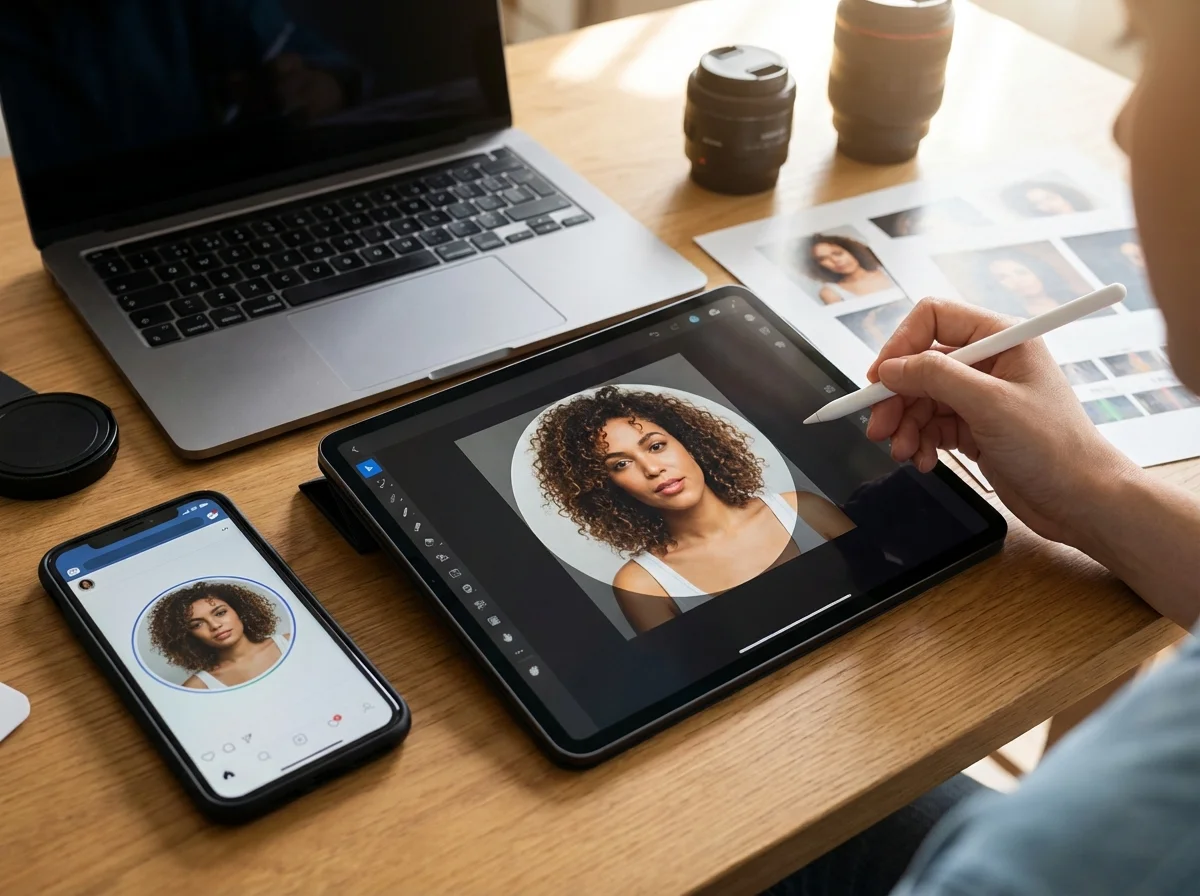
Framing is another critical element. Your face should be the clear focus, occupying at least 60% of the frame. A good practice is to crop the image from the top of your shoulders to just above your head. This close-up shot allows viewers to see your expression clearly. While a photo of you on a mountaintop is great for other social platforms, LinkedIn requires a clear headshot. After taking your photo, you can use a free circle crop tool to ensure the framing is perfect for the circular display format. Avoid selfies. The front-facing camera on most phones produces lower-quality images and can distort your features. Ask a friend or colleague to take the photo; the result will look more natural and professional.
Choosing the Right Setting and Background
The background of your photo should support your image, not detract from it. A busy or distracting background pulls focus away from you. The goal is to be the sole subject of the picture. Simple backgrounds work best. This doesn’t mean you must stand against a stark white wall. An interesting textured wall, a solid color, or a softly blurred outdoor scene can add a touch of personality without creating chaos.
Consider your profession. A graphic designer might use a colorful, creative wall, while a lawyer might opt for a more traditional, neutral setting like an office with bookshelves. The key is intentionality. If your current photo has a cluttered background, you don’t necessarily need a reshoot. Instead, you can use a background remover to isolate your headshot and place it against a clean, solid-colored backdrop. This simple edit can instantly make a photo look more polished and professional.
Choosing Your Attire and Pose
Your attire should align with your industry’s standards and the type of role you’re targeting. The simplest advice is to wear what you would wear to work on a typical day. If you work in a corporate environment, a suit or blazer is appropriate. If you’re in a more casual tech or creative field, a smart button-down shirt or blouse is fine. Solid colors are generally more effective on camera than busy patterns, which can be distracting. Bold, rich colors can help your photo stand out.
To convey confidence and approachability, focus on your expression and pose. A genuine smile is almost always the best choice. A study of 800 profile pictures found that smiles showing teeth were rated as twice as likable as closed-mouth smiles. You want to look friendly and engaged. Practice in a mirror to find an expression that feels natural. Your posture matters, too. Stand or sit up straight with your shoulders back to project confidence. A slight head tilt can make the pose feel more dynamic and less like a passport photo. This picture is part of a larger narrative you can find in resources like a social media image size guide, where consistency is key.

Mastering Lighting Without Professional Equipment
Lighting is arguably the most important factor in photography, and you don’t need an expensive setup to get it right. The best light is natural light. Harsh overhead fluorescent lights can create unflattering shadows and give your skin an unnatural color cast. A camera’s built-in flash can cause shine and flatten your features.
To achieve the best results, position yourself facing a window. The soft, diffused light will illuminate your face evenly and create a pleasant glow. If you’re shooting outdoors, avoid direct, bright sunlight, as it can cause you to squint and create harsh shadows. An overcast day is perfect for photos. Alternatively, you can find a shady spot or take pictures during the “golden hour”—the period shortly after sunrise or before sunset—when the light is soft and warm. A well-lit photo looks crisp, clear, and professional, improving the overall quality without any cost.
Your LinkedIn photo is a small but powerful tool for managing your professional brand. It’s often the first impression you make on a recruiter, a potential client, or a future colleague. Instead of seeing it as a chore, view it as an opportunity to communicate your competence and personality. Take 15 minutes this week to evaluate your current picture against these tips. If it falls short, grab your phone, find a window with good light, and take a new one that truly represents you.
FAQ
Can I use a selfie for my LinkedIn photo?
It is best to avoid selfies for a LinkedIn profile. The front-facing cameras on phones often produce lower-quality, sometimes mirrored, images. Asking someone else to take the photo results in a more natural pose and a higher-quality picture.
What is the best color to wear for a professional headshot?
Solid colors are generally the best choice, as busy patterns can be distracting. Bold jewel tones like blue, green, or burgundy tend to stand out well, but neutral colors like navy or gray are also safe and professional options. Choose a color that complements your skin tone.
How often should I update my LinkedIn profile picture?
You should update your LinkedIn photo every one to two years, or anytime your appearance changes significantly. The goal is for your picture to be an accurate and recent representation of how you look, so people can easily recognize you in person.
Is a black and white photo acceptable for LinkedIn?
While a black and white photo can be a stylistic choice, it’s often better to use a color photo on LinkedIn. Color photos tend to appear more vibrant, modern, and approachable. A black and white image might be suitable for certain creative fields, but for most professions, color is the standard.
Crop images into a circle for free