
5 Tips to Choose the Best Free Background Remover in 2026
Let’s be honest, the best photo editing solution for background removal uses AI to automatically detect and isolate the subject from its surroundings, creating a transparent background in mere seconds. No manual outlining needed, which is a huge plus. The big advantage here? You get professional, clean visuals for e-commerce, social media, or design projects, and you get them instantly.
You’ve taken a great product photo, but that background is distracting. Maybe it’s your cluttered office, or perhaps an inconsistent outdoor setting. This small detail can actually make your online store look unprofessional and, let’s face it, hurt sales. You need a way to isolate your product on a clean, consistent backdrop, yet you probably don’t have the time or budget for complex programs like Photoshop. The good news? You really don’t need them anymore.
What makes a background removal tool effective?
What truly makes a background removal utility shine? I’d say it comes down to its accuracy, speed, and sheer simplicity. Accuracy is, the most crucial aspect; the program must flawlessly handle tricky edges—think wispy hair, fluffy fur, or the delicate details on clothing—without leaving those annoying jagged bits or accidentally erasing parts of your main subject. Then there’s speed. Modern options ought to handle a photo in mere seconds, not minutes, which is a for efficiently batch-processing entire product lines. Lastly, the interface needs to be so intuitive that even a complete design novice can achieve a flawless cutout on their very first attempt. Simple as that.
The real secret, though, is the underlying technology. Today’s most potent offerings are fueled by AI, meticulously trained on massive image datasets. This allows the software to contextually grasp what’s foreground versus background, a job that used to be a manual headache. I’ve personally tested countless options, and honestly, the gap between a basic ‘magic wand’ and a genuine AI-driven remover is absolutely massive. The older tech often stumbles with semi-transparent items or subtle color shifts, but the newer AI handles them with remarkable precision.
Beyond just the core removal, a truly excellent service offers flexible output choices. It should, for example, let you grab your finished item as a PNG with a proper transparent background. Many also throw in handy features to swap in a new solid color or even an image background right there in the app. This saves you a whole extra step in another editor, streamlining the entire process for whipping up social media posts or product listings. Imagine going from a busy, cluttered shot to a perfectly clean, ready-to-use asset in literally seconds – that’s the dream, isn’t it?
How to choose the right background remover for your needs?
Honestly, picking the right background remover really hinges on what you actually need it for. There’s no universal ‘best’ option, you know? If you’re an e-commerce store owner, for example, your main concern is probably batch processing. You’ll need a service that can tackle hundreds of photos simultaneously, providing consistent outcomes every single time. In that specific situation, an API or a dedicated desktop application might be a much better fit than some one-off web utility.
Conversely, a content creator or social media guru prioritizes speed and mobile access. Their whole game is crafting one stunning visual for a post, quickly. For them, a free online platform that performs swiftly on any device is just perfect. They don’t require fancy bells and whistles; they simply need a crisp cutout to drop into a fresh design. From my experience helping clients, this group is huge, and their demands are often perfectly satisfied by straightforward, browser-based choices that don’t ask for sign-ups or payments.
Marketing studies consistently show that images featuring clean, isolated subjects outperform others in promotional content because they lessen cognitive load and draw the viewer’s eye straight to the product. This enhanced clarity, in turn, usually boosts engagement and conversion rates. Pretty impactful, right?
Now, a pro photographer or designer? Their demands are totally different. They crave pixel-perfect accuracy and integration into their current setup, like plugins for Adobe Photoshop. For these folks, ultimate control is paramount. They might kick things off with an AI program for the initial rough cut, but they’ll absolutely want manual tweaking options to fine-tune every edge. Their preference will definitely lean towards paid, top-tier software that delivers advanced masking and layering features, allowing them to perfect every single detail, from the smallest hair to the most complex product outline. You can always dig deeper into the various types of image editing software to see where each category truly fits your workflow.

What are the best free online background removal options?
So, what are the top free online background removal platforms? In my book, they’re the browser-based ones that leverage AI to completely automate the job, no software installation needed. These handy utilities let you simply upload a picture, wait a few ticks while the AI does its magic, and then download your outcome with a crystal-clear transparent background. Their biggest selling point? Unbeatable accessibility and instant gratification. You can use them on virtually any computer or mobile device with an internet connection, making them absolutely ideal for swift edits, even when you’re out and about.
I’ll be honest, a common misconception I encounter is people thinking ‘free’ automatically equals ‘low quality.’ But while that might have been the case years ago, current free AI models are astonishingly potent. For the majority of typical photos—think portraits, product shots, or even your pet’s latest glamour shot—a resource like RoundCut’s free background remover churns out outcomes that are practically identical to what pricey, professional programs produce. They truly shine at pinpointing distinct subjects and crafting crisp cutouts with barely any effort from your end.
Still, there are, of course, some limitations. Most free offerings are built for single image processing and might impose caps on resolution or file size. They’re spot-on for whipping up a fresh profile picture, sprucing up a product shot, or quickly designing a graphic for a blog post. If you’re someone who needs to make a logo transparent or simply tidy up a photo without shelling out for a software subscription, these online options are, in my opinion, the most streamlined way to go right now.
How do AI-powered background removers work?
Ever wondered how those AI background removers actually do their thing? Well, they operate using a specialized branch of artificial intelligence known as a convolutional neural network (CNN). Put simply, developers teach these networks by feeding them millions upon millions of image pairs: one photo with its original backdrop, and another with the background already gone. The AI then learns to pinpoint the specific patterns, shapes, textures, and edges that differentiate a foreground subject—be it a person, a car, or even your dog—from its surroundings. It’s truly fascinating, if you ask me.
So, when you upload your picture, the AI immediately uses this acquired wisdom to scrutinize it, pixel by pixel. What happens next? It generates something called a ‘segmentation mask’—essentially a black-and-white blueprint where white marks your subject and black covers the background. This mask is then deployed to wipe out the background, leaving just your subject floating on a transparent layer. The whole operation is lightning-fast, mostly because the AI isn’t ‘contemplating’; it’s executing a highly intricate pattern-matching task it’s honed through extensive training. Pretty cool, right?
The accuracy, though, really comes down to how sophisticated the AI model is. Simpler models, for instance, might stumble with delicate details such as individual strands of hair or the tiny gaps between a person’s arm and torso. More advanced iterations, however, are specifically trained on these tougher scenarios. They can even discern semi-transparent elements, like a sheer veil or a glass object, crafting a far more lifelike and subtle cutout. This technology, by the way, is a vital ingredient in the best AI tools out there for creative endeavors today.
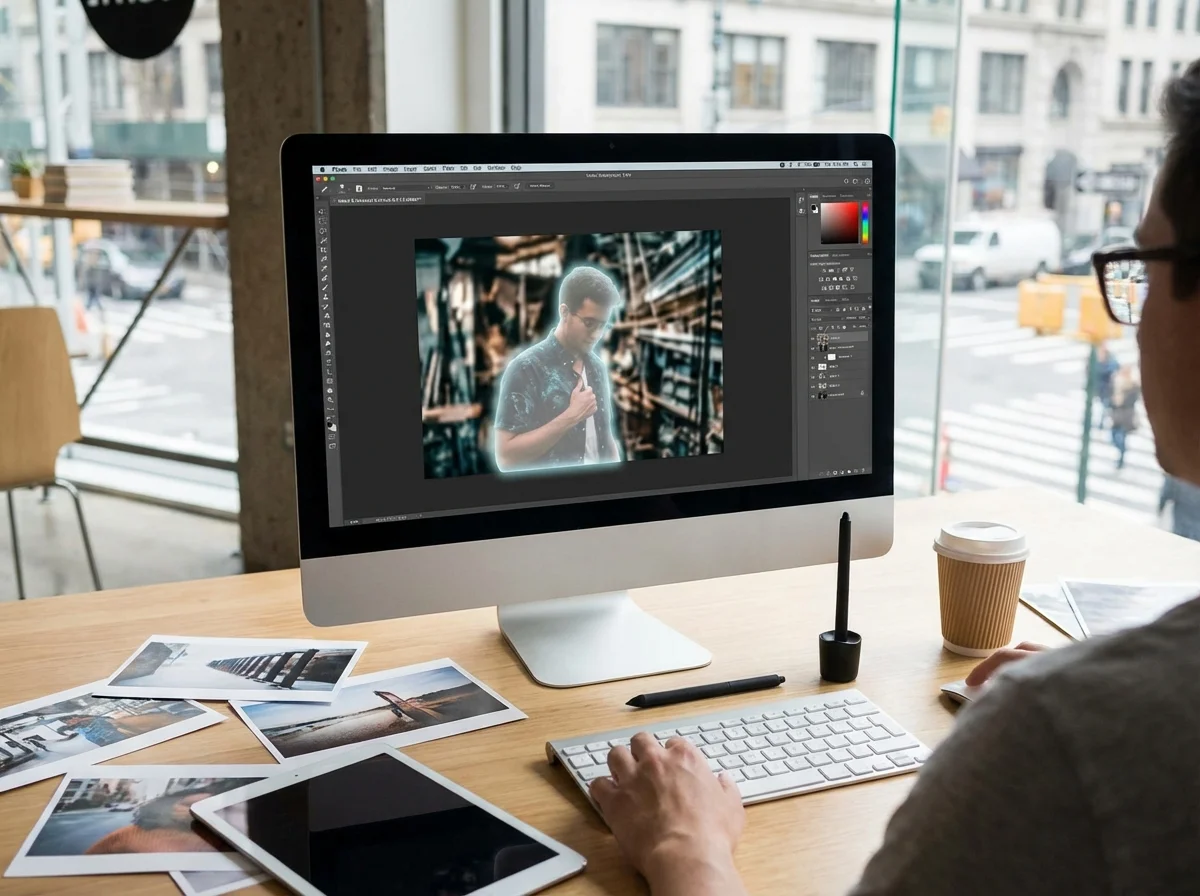
Tips for achieving perfect background removal in travel and product photos?
Want to nail perfect background removal every single time? My best advice: always kick things off with a high-quality source image. Seriously, an AI can only work with what you feed it. A crisp, well-lit photo, especially one with a clear separation between your subject and its surroundings, will consistently produce a far cleaner cutout than some blurry, dimly lit shot where everything just blends together. So, whenever possible, try to snap your subject against a simple, contrasting backdrop. It makes the AI’s life, and yours, a whole lot easier. Trust me on this.
When it comes to product photography, consistency is absolutely vital. I mean, you should really stick to the same lighting setup and camera angle for all your product shots. Once you’ve zapped the background, make sure to pop every single product onto the exact same neutral backdrop—usually a clean white or light gray—to give your store that polished, professional vibe. And here’s a pro tip: after the background is gone, it’s a smart move to run those finished images through an online image compressor. Why? Because it’ll shrink the file size without messing with the quality, guaranteeing your website flies for every visitor. Think about it: faster load times mean happier customers and better SEO, right?
I once worked with a small online boutique selling handmade jewelry. Their product photos were taken on various cluttered surfaces, which made their website look amateurish and was affecting customer trust. We reshot nothing. Instead, we spent an afternoon processing their existing photos through an AI background remover. We placed every piece on a clean, light gray background. Within a month, their add-to-cart rate increased by over 20%. It’s a perfect example of how a simple change in presentation can have a massive impact on business results.
Look, picking the right background removal solution really doesn’t need to be a headache. For most of what you’ll ever need to do, a free, AI-powered online platform will dish out professional-grade outcomes in mere seconds. So instead of drowning in endless feature comparisons, I’d say the smartest thing you can do right now is just give one a whirl. Go ahead, grab one of your own product photos or a favorite travel snapshot, and just see how fast you can whip up a clean, ready-to-use image. You might be surprised!
To expand semantic coverage and answer closely related search intent, also address terms such as “best background remover app”, “remove background from image online free” and “product photo background removal”.
For a practical option in this area, try Free vs Paid AI Image Generators 2026: Which is Right for You? for deciding between free vs paid ai image generators? this guide compares control, commercial licensing, and advanced features for professional work.
FAQ
Can I remove a background from a photo on my phone?
Absolutely! Most online background removal <strong>services</strong> are web-based, meaning they run straight in your phone’s browser. You simply upload a picture from your gallery, let the background get zapped, and then download the fresh image—no app installation required, which is super convenient.
What is the best image format for a photo with a transparent background?
The absolute best format is PNG (Portable Network Graphics). Unlike JPEG, PNG <strong>supports</strong> an ‘alpha channel,’ which is what enables true transparency. So, always make sure to save your cutouts as PNG files to keep that background invisible.
Will I lose image quality when I remove the background?
Not at all, if you’re using a quality AI background removal <strong>utility</strong>. It’s designed to isolate and keep your subject’s pixels intact, only deleting the background. The final visual quality of your subject should be exactly the same as it was in the original photo.
How can I replace the removed background with a new color?
Many online background <strong>editors</strong> come with a straightforward editor that lets you instantly add a solid color or even a different image as your new background right after the old one is gone. This means you can finish your image all in one spot, without needing extra programs.
Remove image backgrounds for free