Best Free Online Image Editing Tools (2026 Comparison)
The best free online image editing tools in 2026 are: RoundCut for circle cropping and background removal, TinyPNG for compression, and Squoosh for format conversion. Each tool specializes in specific tasks and processes images in your browser without uploading to external servers.
Quick Comparison: Free Online Image Tools
| Tool | Best For | Privacy | Signup Required | Watermarks |
|---|---|---|---|---|
| RoundCut | Circle crop, background removal, compression | 100% local processing | No | No |
| TinyPNG | PNG/JPEG compression | Server upload | No (free tier) | No |
| Squoosh | Format conversion, WebP | 100% local processing | No | No |
| Photopea | Advanced editing (Photoshop alternative) | Local with optional cloud | No | No |
RoundCut: Circle Crop and Background Removal
RoundCut (roundcut.com.br) offers three tools: circle cropping, AI background removal, and image compression. All processing happens in your browser—images never leave your device.
Circle crop tool. Upload any image, position a circular overlay, and download a PNG with transparent background. Ideal for profile pictures, avatars, and team pages. Processing time: under 3 seconds for most images.
Background remover. AI-powered tool that detects subjects and removes backgrounds automatically. Works with portraits, products, and complex scenes. Output: PNG with transparency.
Image compressor. Reduces file size while maintaining visual quality. Supports JPEG, PNG, and WebP. Adjustable quality slider lets you balance file size against sharpness.
Key advantage: privacy. Since RoundCut processes images locally using WebAssembly, sensitive photos (employee headshots, unreleased product images) never touch external servers.
TinyPNG: Compression Specialist
TinyPNG compresses PNG and JPEG files by reducing color palettes intelligently. The algorithm removes unnecessary metadata and optimizes encoding without visible quality loss in most cases.
Free tier: 20 images per month, maximum 5MB each. Paid plans remove limits and add API access for bulk processing.
Trade-off: images upload to TinyPNG servers for processing. Not ideal for confidential images.
Squoosh: Format Conversion and Fine Control
Squoosh (squoosh.app) is a Google-developed tool for image format conversion. Convert between JPEG, PNG, WebP, AVIF, and other formats with granular quality controls.
The side-by-side comparison view shows original versus compressed versions in real time. You can zoom in to inspect quality differences before downloading.
Like RoundCut, Squoosh processes images locally in your browser. No uploads, no accounts, no tracking.
Photopea: Full-Featured Editor
Photopea replicates most Photoshop functionality in a browser. Layers, masks, filters, and advanced selection tools work similarly to the desktop application.
Learning curve is steeper than single-purpose tools. If you need to crop a circle quickly, Photopea requires more clicks than RoundCut. But for complex edits involving multiple layers or precise masking, Photopea handles tasks that simpler tools cannot.
Free tier includes ads. Paid subscription removes ads and adds some features.
Which Tool Should You Use?
For profile pictures and avatars: RoundCut circle crop. One-click circular output with transparent background.
For product photos needing background removal: RoundCut background remover. AI handles complex edges like hair and fabric.
For website image optimization: RoundCut compressor or TinyPNG. Both reduce file sizes effectively. RoundCut keeps images local; TinyPNG may produce slightly smaller files for some images.
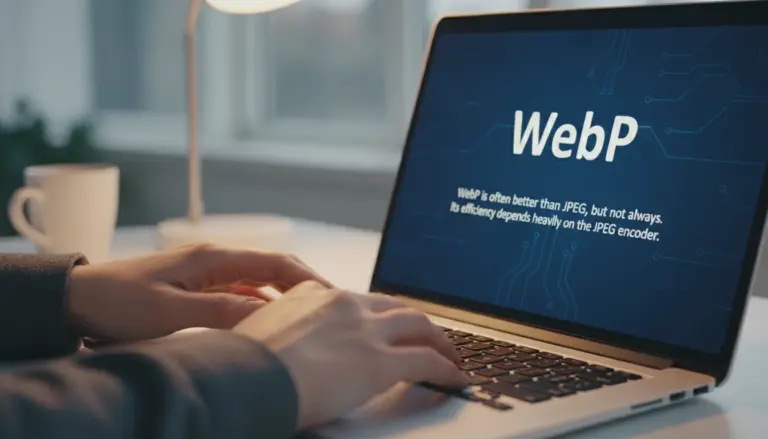
For format conversion to WebP or AVIF: Squoosh. Granular quality controls and side-by-side preview help you find the optimal balance.
For complex edits with layers and masks: Photopea. Full editor capabilities when simple tools aren’t enough.
Privacy Considerations
Tools that process images locally (RoundCut, Squoosh) never transmit your files. This matters for:
- Employee photos before HR approval
- Product images before launch announcements
- Personal photos you prefer to keep private
- Client work under NDA
Server-side tools (TinyPNG, some others) upload your images for processing. Read privacy policies before uploading sensitive content.
Mobile Compatibility
All four tools work on mobile browsers. RoundCut and Squoosh perform especially well on phones since their processing happens locally—no large uploads over cellular data.
Touch interfaces work for basic operations. Complex Photopea edits are easier with a mouse or stylus.
Summary: Tool Selection Guide
Start with the simplest tool that accomplishes your task:
- Need a circular image? → RoundCut circle crop
- Need transparent background? → RoundCut background remover
- Need smaller file size? → RoundCut compressor or TinyPNG
- Need WebP/AVIF format? → Squoosh
- Need layers, masks, or advanced editing? → Photopea
Bookmark multiple tools. Different tasks call for different solutions. Having quick access to specialized tools beats struggling with a one-size-fits-all editor.