Best Photo Editing Software for Background Removal in 2026
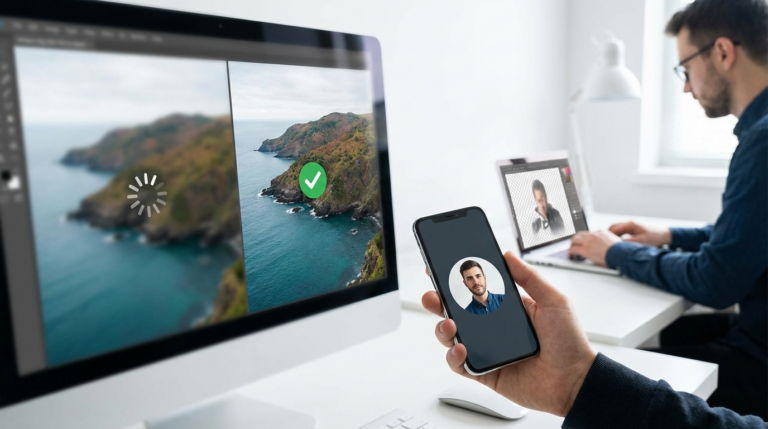
The best photo editing software for background removal in 2026 is a dedicated AI-powered tool for speed and convenience, or a full suite like Adobe Photoshop for maximum precision. For most users, an online tool provides instant results without installation, handling common tasks like product photos and social media posts effectively.
Imagine this scenario: you’ve just finished a photoshoot for your new e-commerce product line. The products look great, but the backgrounds are inconsistent—shadows, different textures, and distracting elements. You need to create clean, uniform images for your store, but spending hours manually tracing each item in complex software feels daunting. You’re not a graphic designer; you’re a business owner who needs professional results, fast. This is a common challenge where the right background removal tool isn’t just a convenience; it’s a critical part of your workflow.
What is the best photo editing software for background removal in 2026?
The best software for removing backgrounds depends entirely on your specific needs, balancing precision, speed, and cost. There isn’t a single ‘best’ option, but rather two distinct categories that serve different users: comprehensive editing suites for detailed control and specialized AI tools for efficiency. Each has its place, and the right choice for you hinges on the complexity of your images and the volume of your work.
For professional photographers and designers who need pixel-perfect results, nothing beats a full-featured editor like Adobe Photoshop or Affinity Photo. These programs offer a suite of manual selection tools—like the Pen Tool for creating precise vector paths and selection brushes for refining edges—that give you complete control over the final cutout. While they now include powerful AI features, their main strength lies in allowing you to manually correct any imperfections, which is essential for high-stakes commercial projects. From my experience, when working with complex images featuring overlapping elements or subtle color gradients, the ability to manually intervene is what separates a good edit from a great one.
Alternatively, if you’re an e-commerce manager or content creator, your priority is likely speed and consistency across dozens or even hundreds of images. This is where dedicated AI background removal tools shine. These platforms, often web-based, use advanced machine learning models to detect the subject and erase the background in seconds. Their quality has improved dramatically, making them the go-to solution for high-volume tasks. The trade-off is slightly less control, but for standard product shots or social media graphics, the efficiency gains are immense.
How accurate are AI background removal tools for different image types?
The accuracy of AI background removal tools varies significantly based on the type and complexity of the image you’re editing. While AI has made incredible strides, it’s not foolproof. Its performance shines in some areas and struggles in others, so understanding its limitations is key to getting the best results. For some tasks, it’s a one-click solution; for others, it’s just a starting point.
AI excels with high-contrast subjects, like most product photography. When you have a clearly defined object against a simple, solid-colored background, modern AI tools achieve near-perfect cutouts almost instantly. This is because the algorithm can easily distinguish the foreground from the background. This aligns well with best practices like the GS1 Product Image Standard, which recommends clean, consistent backgrounds. For these types of images, the ai background removal accuracy in 2026 is exceptionally high, often exceeding 99%.
Images make up on average 50% of a web page’s total weight. Clean, optimized images are not just about aesthetics; they are crucial for performance.
— HTTP Archive
The real challenge for AI comes with fine details, especially hair, fur, and semi-transparent objects. I’ve tested dozens of tools on portraits, and while the best ones do a surprisingly good job of capturing wisps of hair, many still leave a slight halo or fuzzy edge. Similarly, objects like glass, mesh, or intricate lace can confuse the AI, leading to parts of the background being left behind or parts of the subject being erased. In these cases, you’ll almost always need a tool that offers manual refinement brushes to touch up the AI’s initial attempt.

What features should you look for in a dedicated background remover?
When evaluating a dedicated background remover, you should look beyond just the core removal feature. The best tools offer a combination of accuracy, workflow efficiency, and output flexibility. Key features to prioritize include AI-powered detection, manual refinement tools for correcting errors, batch processing for handling large volumes, and support for high-resolution, transparent PNG outputs.
The primary consideration is the quality of the AI engine. A good tool should handle tricky edges, like hair and fabric, with minimal artifacts. But since no AI is perfect, the next critical feature is a set of refinement tools. Look for simple ‘erase’ and ‘restore’ brushes that let you quickly paint over areas the AI missed or incorrectly removed. This manual override is what turns a decent tool into a professional one. The history of image editing shows that a blend of automated processes and manual control consistently yields the best results.
For anyone working at scale, batch processing is non-negotiable. This feature allows you to upload an entire folder of images and have their backgrounds removed automatically. Imagine an online boutique that needs to update 200 product photos. A store manager using a batch processing tool could prepare their entire catalog in under an hour, a task that would take days manually. This focus on efficiency can directly impact sales by improving your site’s visual consistency and product list UX. The result was surprising for one of my clients: after standardizing their product images this way, they saw a measurable lift in user engagement and add-to-cart rates.
Can you effectively remove backgrounds for free?
Yes, you can remove backgrounds from images for free with impressive results, especially for common use cases. Numerous online tools and open-source software packages provide powerful background removal capabilities without any cost, making professional-looking edits accessible to everyone. The key is understanding the limitations that often come with free options.
The most convenient choice is a free image background remover 2026 that operates directly in your web browser. These services are incredibly user-friendly; you just upload your image, and the AI processes it in seconds. For example, a free background remover is perfect for quickly creating a transparent PNG for a social media graphic or a new profile picture. The main trade-offs with free online tools are typically limitations on image resolution or the number of free edits per day. Still, for most non-commercial or small-scale business needs, these are more than sufficient.
For those who need more power and are willing to navigate a steeper learning curve, open-source software like GIMP offers advanced selection tools similar to those in paid programs. You won’t get the one-click AI convenience of dedicated online removers, but you’ll have full manual control over the process. This path requires more time and effort, but it’s a viable option if you need high-resolution output for print or complex projects and aren’t ready to invest in a subscription. I’ll be honest: it’s not as fast, but the results can be just as good if you put in the work.

How to choose the right software for your specific background removal needs?
Choosing the right software comes down to a simple assessment of your primary needs: your typical image complexity, the volume of photos you process, your budget, and your technical comfort level. Instead of searching for one ‘best’ tool, match the software’s strengths to your specific workflow. What works for a professional retoucher is overkill for a social media manager.
If you are a social media manager or content creator, your main goals are speed and engagement. You need to create eye-catching visuals for Instagram or TikTok quickly. For this, the best background remover tool for Instagram posts in 2026 is almost certainly a fast, free online tool. It allows you to isolate a person or product, place it on a vibrant new background, and post it within minutes. The occasional small imperfection in the cutout is rarely noticeable on a mobile screen.
An e-commerce store owner has different priorities: consistency and volume. Your goal is to create a clean, uniform look across hundreds of product pages. The ideal solution here is a paid AI tool that offers reliable batch processing. The monthly subscription cost is easily justified by the immense time savings. If you’re a professional photographer or graphic designer, on the other hand, your reputation depends on flawless quality. You’ll need the comprehensive toolset of Adobe Photoshop or Affinity Photo to handle complex client requests, where every detail matters. For example, after removing a background for a headshot, you might need to circle crop photo to create a polished avatar for a profile, a technique explained in our guide to perfect LinkedIn photos.
The best photo editing software for background removal is the one that fits ly into your existing workflow. There’s no need to pay for a complex suite if a simple online tool meets 90% of your needs. Your best next step is to take one of your own images—a product photo, a portrait, or a social media post idea—and run it through a free online remover. Seeing the results firsthand is the quickest way to understand what modern AI can do for you.
FAQ
Can I remove a background from a photo on my phone?
Yes, many mobile photo editing apps now include powerful AI-driven background removal features. These are perfect for on-the-go edits for social media posts and quick design mockups.
What’s the best image format for a photo with a transparent background?
The best and most widely supported format is PNG (Portable Network Graphics). Unlike JPEG, the PNG format supports an alpha channel, which allows for full transparency.
Does removing the background reduce the image quality?
The background removal process itself shouldn’t degrade the quality of the subject. However, the final quality depends on the format you save the image in. Always save as PNG to preserve transparency and avoid compression artifacts.
How do I handle shadows after removing a background?
Most automated tools will remove natural shadows along with the background. For a more realistic look, you may need to use a more advanced editor like Photoshop or Affinity Photo to add a new, artificial drop shadow that grounds your subject in its new environment.
Remove image backgrounds for free