
How to Choose the Best Background Removal Software in 2026
The best photo editing software for background removal in 2026 uses AI to automatically detect and isolate the main subject. These tools, often available online, deliver near-instant results with high accuracy, even on complex images with hair or fine details. This technology saves significant time compared to manual editing.
Imagine this scenario: you’ve just finished a product photoshoot for your online store. You have dozens of great shots, but they all have a distracting background. Your options are to either spend hours meticulously tracing each product’s outline in complex software or hire a professional, delaying your launch. The tedious process of manual background removal is a common bottleneck for creators and entrepreneurs who need clean, professional images quickly. This is where modern editing tools have completely changed the workflow.
What are the top background removal software options for 2026?
The top background removal software options for 2026 fall into three main categories: AI-powered online tools, traditional desktop editors, and specialized plugins. AI web-based solutions are the most popular choice for speed and convenience, while desktop software offers granular control for complex professional work. The best option for you depends entirely on your specific needs, volume, and technical skill.
A common mistake I find is people assuming they need expensive, feature-heavy desktop software for a simple task. In practice, what I see most often is that a free, web-based tool is more than sufficient. For example, a free background remover can process an image in seconds with just a drag-and-drop action. These tools are ideal for e-commerce sellers, social media managers, and anyone needing a quick, clean cutout without a steep learning curve.
On the other end of the spectrum are programs like Adobe Photoshop or GIMP. These give you complete manual control with tools like the Pen Tool and layer masks. This level of precision is necessary for high-end commercial photography where every pixel counts. The trade-off is the significant time investment required to master these tools and perform the edits. Additionally, plugins and APIs integrate directly into existing workflows, such as an e-commerce platform, to automate background removal for thousands of images programmatically.
How accurate is AI background removal across different image types?
AI background removal accuracy in 2026 is extremely high for common subjects but can vary with image complexity. The underlying technology, known as Image segmentation, involves training algorithms on millions of images to distinguish foreground from background. The result is that AI can now handle details that were once impossible to isolate automatically.
Its performance on different types of photos breaks down as follows:
- Product Photos: For items with clear, defined edges like electronics, books, or apparel on a plain background, AI tools achieve nearly 100% accuracy. The output is a clean, crisp cutout ready for any marketplace.
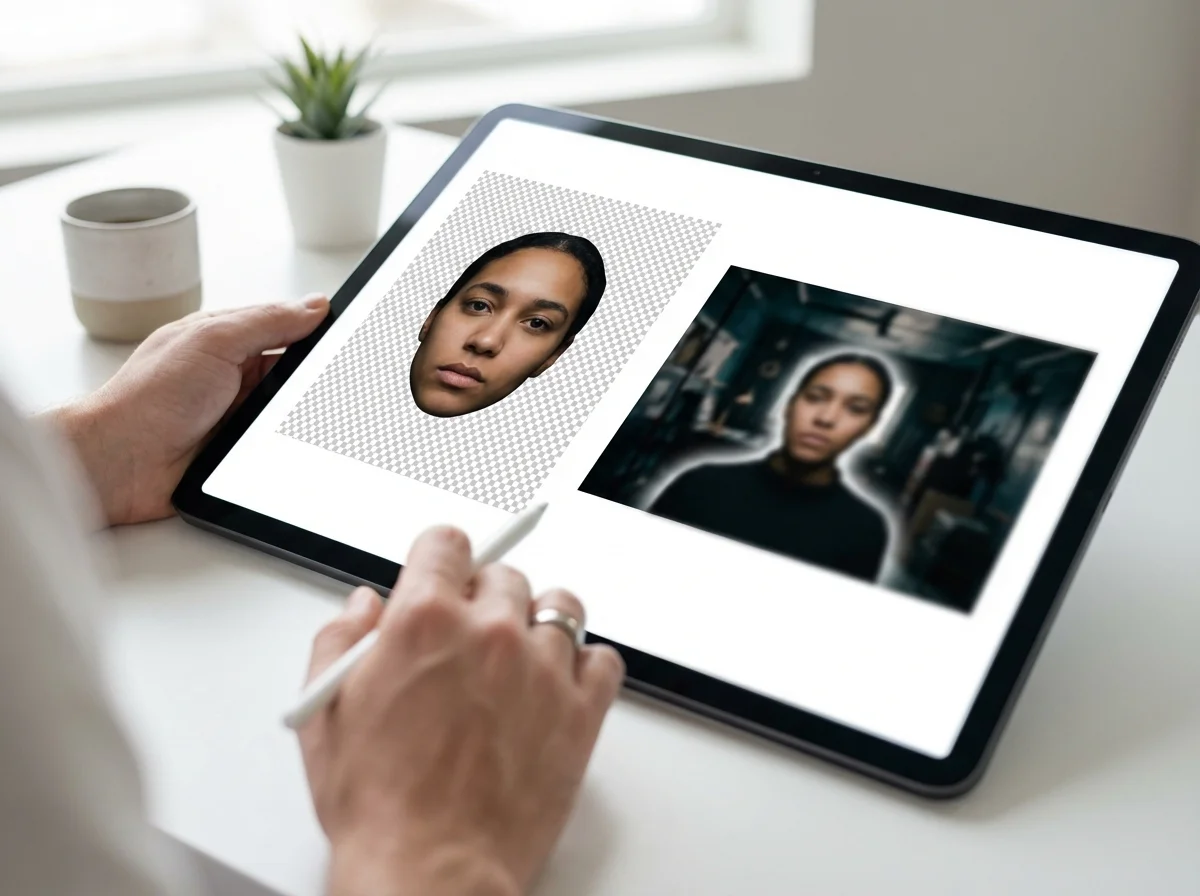
- Portraits: This is where modern AI truly shines. A few years ago, fine hair strands were a nightmare for automated tools, often resulting in a chunky, helmet-like effect. Today’s algorithms can isolate individual strands of hair and fur, producing a natural and believable result that is difficult to distinguish from a manual edit.
- Complex Scenes: Images with semi-transparent objects (like a glass of water), intricate patterns (like a chain-link fence), or low contrast between the subject and background still pose a challenge. While accuracy has improved, these may require minor manual touch-ups after the initial AI pass. Advanced models continue to get better at understanding context within these challenging scenes.

What key features should you look for in background removal tools?
When evaluating background removal tools, you should look beyond basic functionality and consider features that align with your workflow. The most important features are precision control for edge refinement, the ability to process images in bulk, and flexible export options. These capabilities separate a simple gadget from a professional-grade solution.
Here are the key features to prioritize:
- Edge Refinement and Control: The best tools don’t just give you a one-click result. They provide options to refine the edges, feathering the selection for a softer blend or sharpening it for a crisp cut. Some also include restore/erase brushes for manual adjustments.
- Batch Processing: For anyone managing an e-commerce store or a large photo library, this is non-negotiable. Batch processing allows you to upload hundreds of images and have their backgrounds removed simultaneously. This is a core component of an efficient workflow for bulk image optimization.
- High-Resolution Output: A free tool might limit your output resolution. A professional solution should allow you to download the edited image in its original resolution, which is essential for print or high-quality web use.
- API Access: If you’re a developer or a large-scale business, an API allows you to integrate the background removal service directly into your own application or website. This automates the entire process from upload to final image.
- Transparent Background Support: The tool must be able to export the image as a PNG file with a true transparent background. This allows you to place your subject onto any new background ly.
Is a dedicated background removal service better than software?
A dedicated background removal service, which uses human editors, is better than software only when you need absolute, guaranteed perfection on highly complex images. For the vast majority of use cases, AI software is faster, more affordable, and sufficiently accurate. The choice between a service and software comes down to a trade-off between cost, speed, and the level of quality your project demands.
Think of it this way: AI software is your on-demand, instant solution. You upload an image and get it back in seconds. It’s perfect for social media posts, product listings, and presentations where speed is paramount. The cost per image is effectively zero or very low. Minor imperfections on extremely tricky images are the main drawback.
A manual editing service, on the other hand, is like hiring a specialist. You send your images to a team of professional editors who use advanced techniques to create a flawless cutout. This is the preferred method for major advertising campaigns, magazine covers, and intricate product photos where every detail matters. The result is impeccable, but the turnaround time can be hours or days, and the cost is calculated per image. A good rule of thumb is to start with AI software and escalate a particular image to a manual service only if the result isn’t perfect enough for your specific need.
How to choose the best background removal software for your needs?
To choose the best background removal software, you must first define your primary use case, required quality level, and image volume. A graphic designer creating a single composite image has very different needs than an e-commerce manager processing 500 new product shots. Matching the tool to the task is the key to an efficient workflow.
Consider this mini case study. A small online boutique selling handcrafted jewelry needed to update its entire catalog of 300 product photos. The owner, who was not a photo editor, initially tried to remove the backgrounds manually. After spending an entire day on just 15 photos, she realized it was unsustainable. By switching to an AI-powered bulk background removal tool, she uploaded all 300 images at once. The entire batch was processed in under 30 minutes with a 99% accuracy rate on the simple jewelry pieces. The result was surprising: she launched her new collection a full week ahead of schedule and saved over 50 hours of manual labor.
This outcome is possible because of how sophisticated the underlying technology has become. As described in Google’s approach to image segmentation, machine learning models can now identify object boundaries with incredible precision. For a detailed breakdown of different options, our 2026 review and comparison offers a deeper look at the best tools available.
Choosing the right background removal software is no longer about finding a tool that simply works; it’s about finding one that fits your workflow. For most daily tasks, a fast and reliable AI-powered online tool will save you immense amounts of time and effort. Instead of reading more reviews, test one yourself. Take a picture on your phone right now and upload it to a free tool to see the quality firsthand.
FAQ
Can I remove an image background on my phone?
Yes, many AI-powered background removal tools are web-based and work perfectly in a mobile browser. You can upload a photo directly from your phone’s gallery, have the background removed, and download the result in seconds.
What is the best format for an image with a transparent background?
The best and most widely supported format is PNG (Portable Network Graphics). Unlike JPEG, the PNG format supports an alpha channel, which allows for true transparency. This lets you place the image on any colored background without a white box around it.
Do I need Photoshop to remove a background anymore?
No, for most background removal tasks, you do not need Photoshop. Modern AI tools can handle the majority of images automatically and instantly, whereas Photoshop requires manual skill and significant time. Photoshop is still the best choice for complex, artistic composites that require maximum control.
How does AI handle difficult details like hair and fur?
Modern AI models are trained on massive datasets that include millions of portraits and animal photos. This allows them to recognize the fine, complex patterns of hair and fur, isolating individual strands from the background to create a realistic and clean cutout.
Remove image backgrounds for free