Instagram Profile Picture Size: A Guide for a Perfect Crop
You found the perfect photo. It’s a high-quality headshot that captures your brand’s personality, or it’s a crisp, clear version of your company logo. You upload it to Instagram, only to find the platform has awkwardly cropped it, cutting off the top of your head or slicing off the edges of your logo. This common frustration happens when you don’t account for Instagram’s specific size requirements and its automatic circular crop.
Your profile picture is the first impression you make on Instagram. It appears next to every comment, in every Story, and at the top of your profile page. A blurry, poorly framed image can make your brand look unprofessional. Getting it right involves more than just picking a good picture; it requires understanding the correct dimensions and designing for its unique circular format.
The Correct Instagram Profile Picture Size
The ideal size for an Instagram profile picture is a square image with dimensions of 360 x 360 pixels. While Instagram displays the image at 110 x 110 pixels on your profile page, uploading a larger file ensures the photo remains sharp and clear across all devices, including high-resolution desktops. The key is to maintain a 1:1 aspect ratio, meaning the width and height are equal.
Uploading a smaller image, like the 110 x 110 pixel display size, will result in a blurry or pixelated photo. Instagram’s compression algorithm works best when it has more data to work with. Starting with a 360 x 360 pixel image provides enough detail for the platform to resize it effectively without significant quality loss. This ensures your picture looks professional not just on your profile, but also when it appears in smaller sizes, like next to comments or in the Stories feed.
Mastering the Automatic Circle Crop
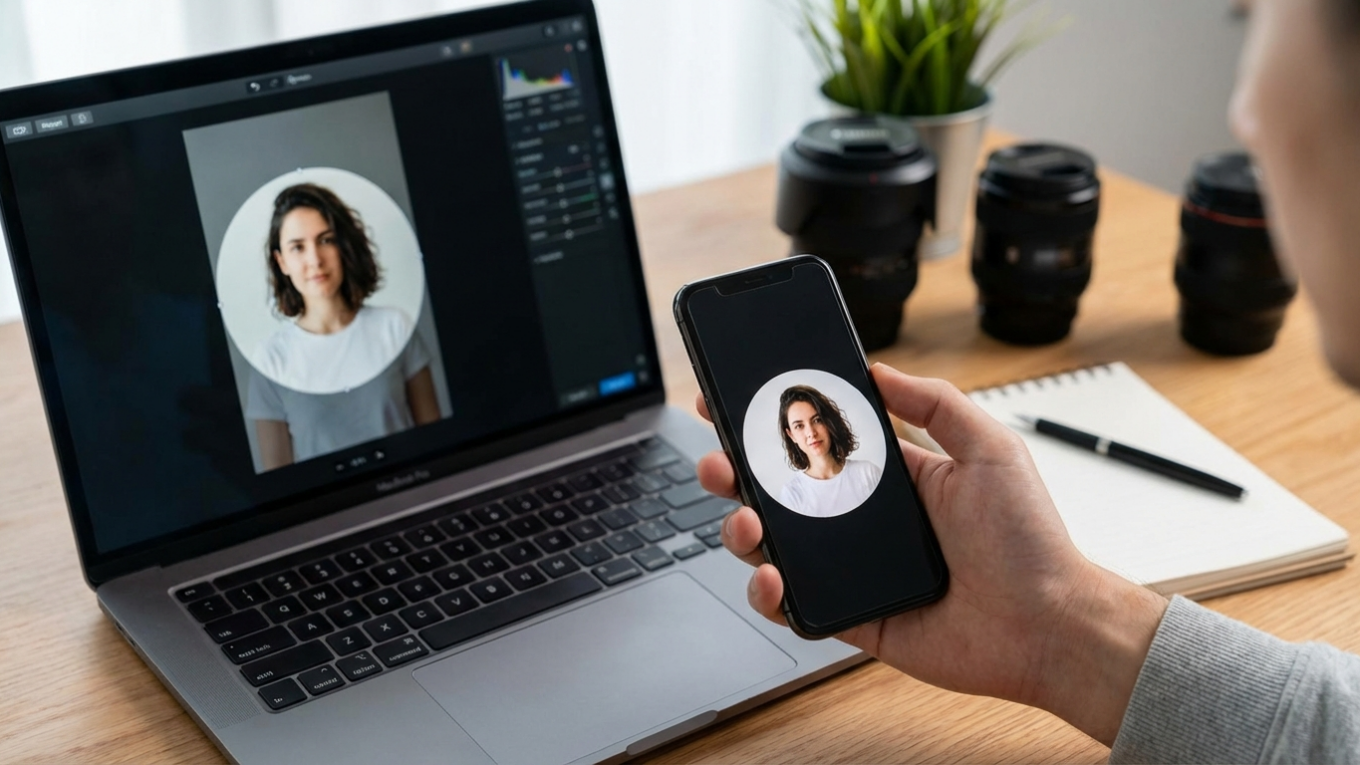
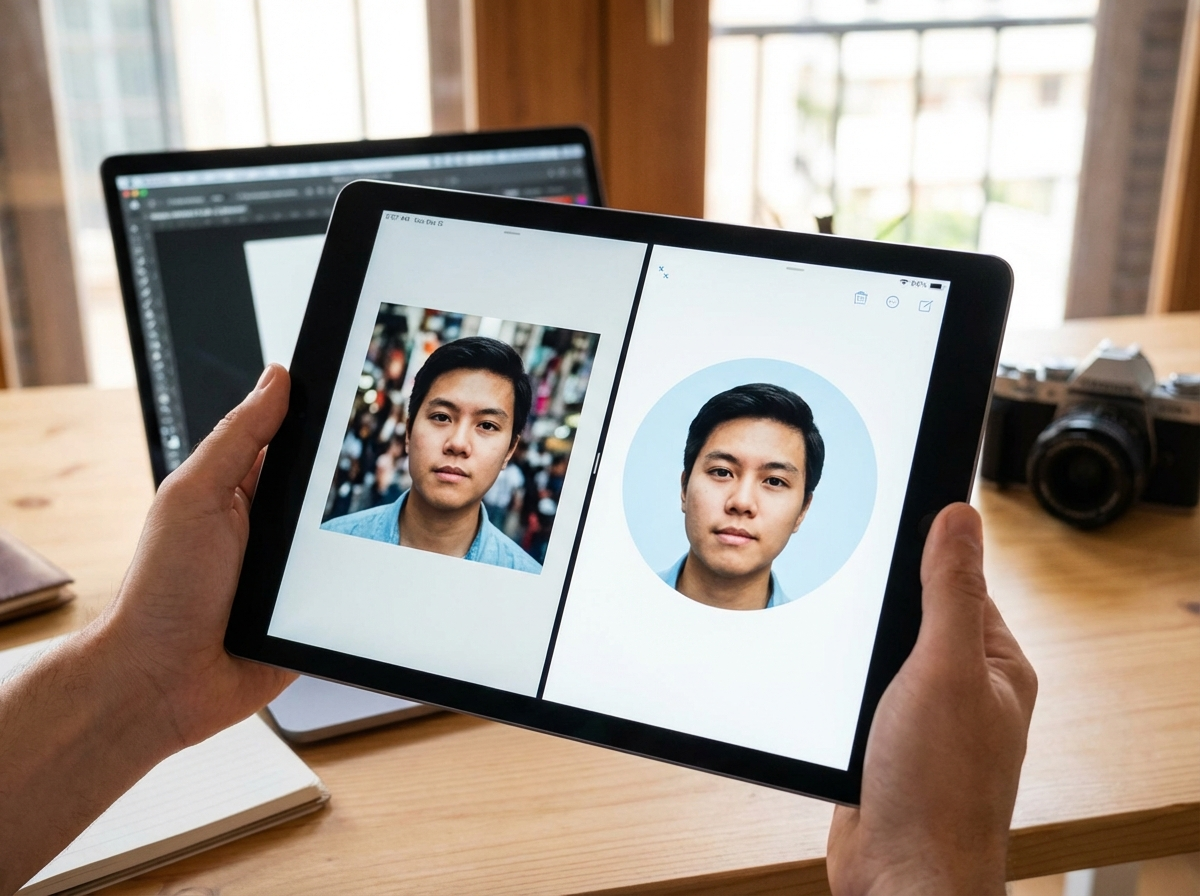
Instagram automatically crops every profile picture into a circle. This is a non-negotiable design constraint you must work with. If you upload a square photo without considering this, important elements near the corners will be cut off. The most effective strategy is to place the focal point of your image—your face or your logo—directly in the center.
Imagine a circle inscribed within your square image; everything outside that circle will be hidden. To avoid any surprises, it’s helpful to visualize the final result before you upload. You can use an online circle crop tool to preview exactly how your square image will look as a circular profile picture. This allows you to adjust the framing and ensure your subject is perfectly centered and nothing important is lost. For more guidance on this, you can review some professional tips on how to circle crop an image online.
A great Instagram profile picture places the main subject in the center of a square image to accommodate the platform’s automatic circular crop, ensuring no key details are lost.
Design Principles for a Standout Profile Picture
A technically perfect image is only half the battle. Your profile picture needs to be visually appealing and instantly recognizable, even at a tiny size. Following a few core design principles can make a significant difference.
Headshot vs. Logo: What to Choose?
The choice between a personal photo and a company logo depends entirely on your brand identity. For personal brands—such as coaches, artists, influencers, and freelancers—a high-quality headshot is almost always the better choice. It builds a human connection and fosters trust. A good headshot should be well-lit, feature your face clearly, and reflect your personality or professional style.
For businesses, e-commerce stores, or agencies, a logo is typically more appropriate. A logo reinforces brand identity and makes your profile instantly recognizable to customers. Ensure the logo is simple, bold, and legible even when scaled down. Avoid logos with fine text or intricate details, as they will become unreadable in the small profile picture space.
Use High Contrast and Bold Backgrounds
Your profile picture competes for attention in a crowded feed. An image with high contrast stands out. This could mean wearing a bright color against a neutral background or placing a light-colored logo on a dark background. Avoid busy or cluttered backgrounds that distract from the main subject. A simple, solid-colored background often works best.
For example, if your brand colors are blue and white, use a crisp white version of your logo against a solid blue background. If you have a great headshot, but the background is distracting, you can use a free background remover to isolate yourself and place the portrait on a clean, brand-aligned color. This makes the image pop and reinforces your visual identity.
Keep It Simple and Recognizable
Simplicity is crucial. Your profile picture will often be viewed at a very small size, especially in the Stories bar or in comment threads. Complex designs or full-body shots become indistinguishable. The goal is immediate recognition. A close-up headshot or a simplified, bold logo is far more effective than an image with too many elements. Before finalizing your choice, zoom out on the image until it’s about the size of a thumbnail. If you can still tell what it is, you have a winner.
A Quick Guide to Other Instagram Image Sizes
While your profile picture is a critical component, understanding other Instagram dimensions helps create a cohesive and professional-looking feed. Properly sized images prevent unwanted cropping and ensure your content is displayed as intended. Optimizing all your visuals is a key part of a good image SEO strategy for discoverability.
- Square Posts: The classic Instagram format. The ideal size is 1080 x 1080 pixels (1:1 aspect ratio).
- Portrait Posts (Vertical): These take up more screen space and are great for engagement. Use 1080 x 1350 pixels (4:5 aspect ratio).
- Landscape Posts (Horizontal): Best for wide shots. The recommended size is 1080 x 566 pixels (1.91:1 aspect ratio).
- Instagram Stories: This full-screen vertical format requires an image size of 1080 x 1920 pixels (9:16 aspect ratio).
How to Prepare and Upload Your Perfect Profile Picture
Follow these steps to ensure your image is correctly prepared before you upload it to Instagram.
- Select a High-Resolution Image: Start with the highest quality photo or logo file you have. A sharp source image is essential for a crisp final result.
- Crop to a Square: Use an image editor to crop your picture to a 1:1 aspect ratio. For best results, resize it to 360 x 360 pixels or a larger square like 1080 x 1080 pixels.
- Center Your Subject: Position the most important element—your face or logo—in the middle of the square. Leave a generous margin around the edges to account for the circular crop. Double-check that no critical parts are near the corners.
- Save and Upload: Save the file as a JPEG or PNG. Open Instagram, go to ‘Edit Profile,’ tap ‘Change Profile Photo,’ and upload your newly prepared image.
- Review on Mobile: After uploading, check how your new profile picture looks on your profile page, in a comment you leave, and in the Stories feed at the top of the app. This final check confirms it is clear and well-framed in all contexts.
Your Instagram profile picture is a small but powerful asset for your brand. By uploading a 360 x 360 pixel square image and designing with the central circular crop in mind, you ensure it appears sharp and professional everywhere on the platform. Combine these technical specifications with strong design choices—like high contrast and simplicity—to create a photo that is both memorable and effective. Take a moment now to review your current profile picture and apply these tips for an immediate improvement.
FAQ
What is the best resolution for an Instagram profile picture?
For the best quality, upload a square image that is 360 x 360 pixels. While the display size is smaller, uploading at this higher resolution prevents the image from looking blurry or pixelated after Instagram applies its compression.
Should I use a logo or my face for my business’s Instagram?
Use a logo if you are representing a company or store to build brand recognition. If you are a personal brand, such as a coach, consultant, or artist, a professional headshot is better for building a personal connection with your audience.
How do I prevent my Instagram profile picture from being blurry?
Always start with a high-quality, sharp source image. Upload it as a 360 x 360 pixel file to give Instagram’s compression algorithm enough data to work with, which helps maintain clarity.
Can I use a rectangular photo for my Instagram profile?
No, you must upload a square (1:1 aspect ratio) photo. Instagram will force you to crop any non-square image into a square during the upload process, and it will then automatically apply a circular mask.
Crop images into a circle for free